Promote your local history project through a ten-minute talk
Published: 12th September 2020
We invite local historians to produce a short ten-minute talk, highlighting a story or some aspect of their local history project.

While this was intended originally to replace the physical meetings and talks cancelled during the pandemic, the talks have become another way to share our enjoyment and interest in local history to much a wider audience.
The Ten-Minute Talks take the format of a PowerPoint-type presentation, with supporting notes. Optionally you may record a video too of the talk. As the name implies, these are intended to be short talks, something which takes no more than ten minutes to read or watch.
Some examples
To see how the format works, take a look at some of our existing talks.
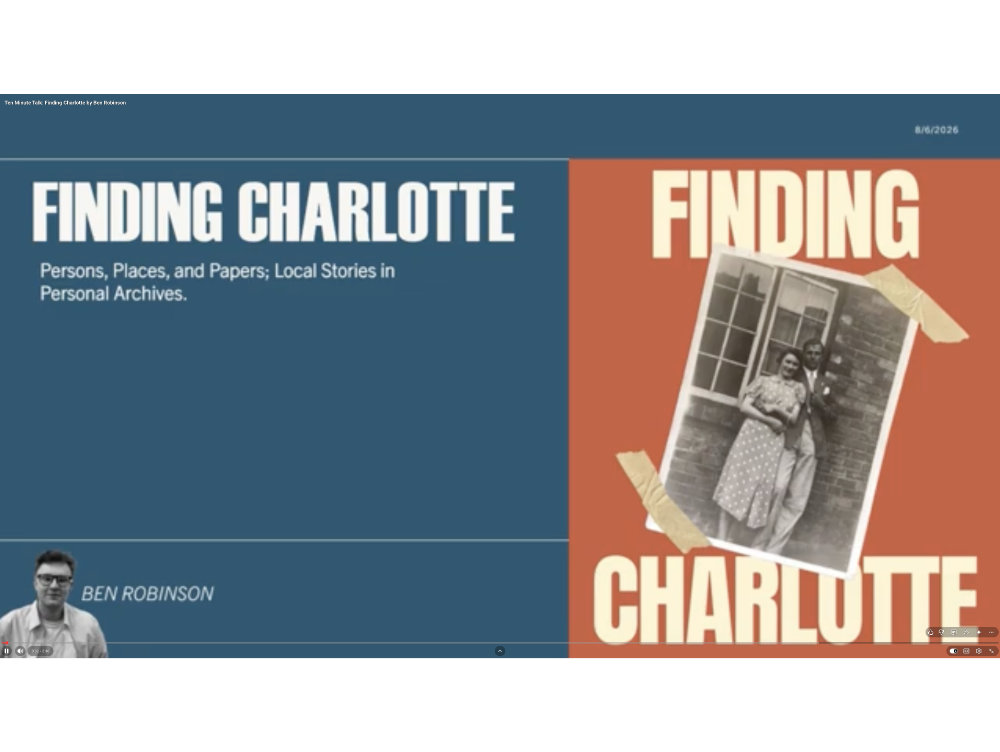
A talk with slides, notes and a video : Migration from Swaledale during the collapse of the 19th century lead mines
A talk with slides and notes only : Two Milch Cows, some Bucks and a Stray sheepe
Guidelines for submitting a Ten-Minute Talk
If you would like to offer a talk, please follow these guidelines:
Choose your topic and content
Considering the length of the talk, select a topic to focus on, and up to ten images, photos or quotations to illustrate your theme.
Create the presentation
- Using PowerPoint or an equivalent PDF-format presentation file, create some slides, just as you would if giving a physical version of this talk. Keep the slides visual, with minimal wording.
- Make sure that your PowerPoint presentation is clear and does not have too much text.
- We're also open to non-PowerPoint presentations, where you speak to camera, perhaps while on location. However this needs to be done well, with good video and audio, to be considered for publication.
- Keep your talk as close to 10 minutes as possible!
Create a video of your talk
Video brings your talk to life, as your narration can help bring out the nuance of your theme. There are ways to perform a screen record on your computer, including:
- Microsoft PowerPoint has a "Record" facility (see Microsoft's guide)
- Use Apple QuickTime (a free download at https://support.apple.com/downloads/quicktime). This has a screen record feature, so you can talk through your presentation and save the resultant file.
- We recommend using a free broadcasting software, such as Open Broadcaster Software (OBS), which can be downloaded here: https://obsproject.com/ to record your Ten-Minute Talk. This software enables you to configure the screen to how you would like it, where your webcam thumbnail will be placed, its size, etc and to use your PowerPoint presentation while giving your talk. There is a very helpful tutorial here: https://youtu.be/uL8BwstqiqE
- If you are really stuck, consider recording a Zoom session, as if you were presenting to an audience. This enables you to screen share and be heard. However there can also be a loss in quality with this approach.
If you are recording a new video for your Ten-Minute Talk
It helps for us to see the content before you record it, as we have had to ask for changes to be made. Naturally this is much easier when reviewing the PowerPoint content or notes, before you complete the recording.
Talks which aren't videoed
We will consider submissions of non-video Ten-Minute Talks, with PowerPoint slides, but these must include presentation notes (see below).
Include some presentation notes
Write up to 1,500 words to accompanying your presentation, so the notes can be read in conjunction with viewing the slides or watching the video. It helps to add prompts in the notes so the viewer knows when to look at the next slide. Please submit these as a Word document (or equivalent), so we may edit them if required.
Technical notes for video recording
- Please record in a room where there are few distractions and minimum background noise.
- Use a microphone and headphones for better quality sound and to minimise feedback from laptop/PC speakers.
- If possible, please neatly edit the start and end of your video (using QuickTime Player or similar).
- Remember to speak clearly and to look up from your notes at the webcam to aid viewer engagement.
- Remember to render you video file as a universal format: MPEG-4 is the most common and popular format. This format works well with video hosting websites, including YouTube.
Ask for help! The BALH team can offer assistance in recording your talk.
Ensure there's no copyright issues.
It is vital that any images, photos or quotations used in your presentation are copyright-free or that you own the copyright and have specific permission to use them in this way. Also, you must have the specific permission of people appearing in any identifiable way in photos.
We would encourage submissions to use images that are either their own or freely available under the Creative Commons Licence. Please give attributions where necessary.
Submitting your talk
If you are interested in submitting a Ten-Minute Talk, in this first instance, please contact us to discuss your idea:
- Catherine Warr, Digital Content Coordinator, engagement@balh.org.uk
Completed Ten-Minute Talks should be sent to the Digital Team at digitalteam@balh.org.uk. Please do not send large files and videos through email. We recommend using the free WeTransfer.com website instead (note, you do not need the paid version to do this).